App Information
The App Information tab is where you set up all the essential details about your app for the App Store and Play Store listings. This information is required before your app can be submitted for review.
App Icon
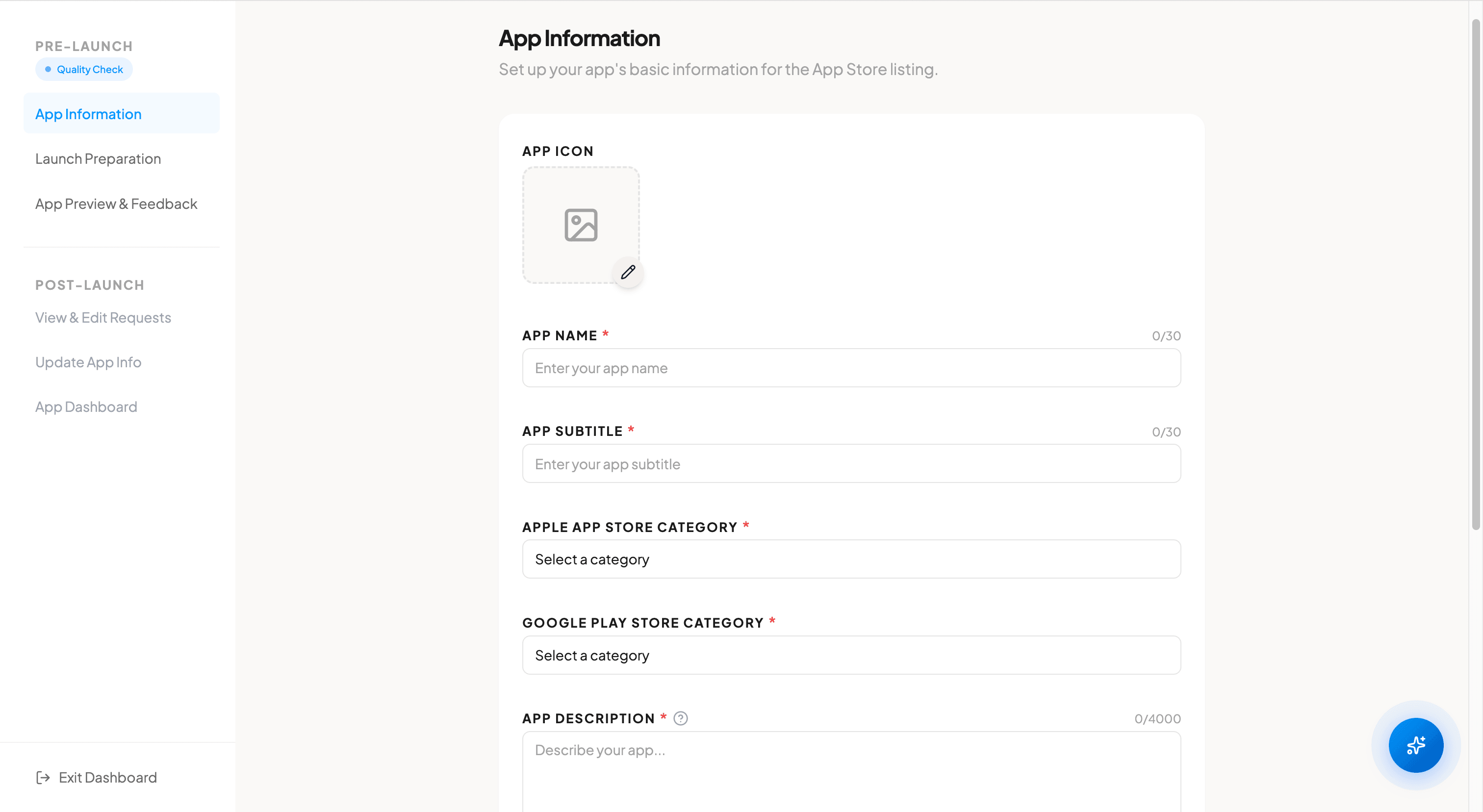
Upload your app icon in PNG format with a resolution of 1024x1024 pixels. This icon will be used on both the App Store and Play Store. Make sure the image is clear and recognizable at small sizes, as it will be scaled down for device home screens.
App Name & Subtitle
Enter your app name and subtitle, each with a maximum of 30 characters. The app name is the primary title displayed on the store listing and on the user's device. The subtitle appears directly below the app name on the App Store and provides additional context about your app.
Store Categories
Select the appropriate category for each platform. The Apple App Store and Google Play Store have different category lists, so you will choose one for each. Selecting the right category helps users discover your app when browsing the store.
App Description & Metadata
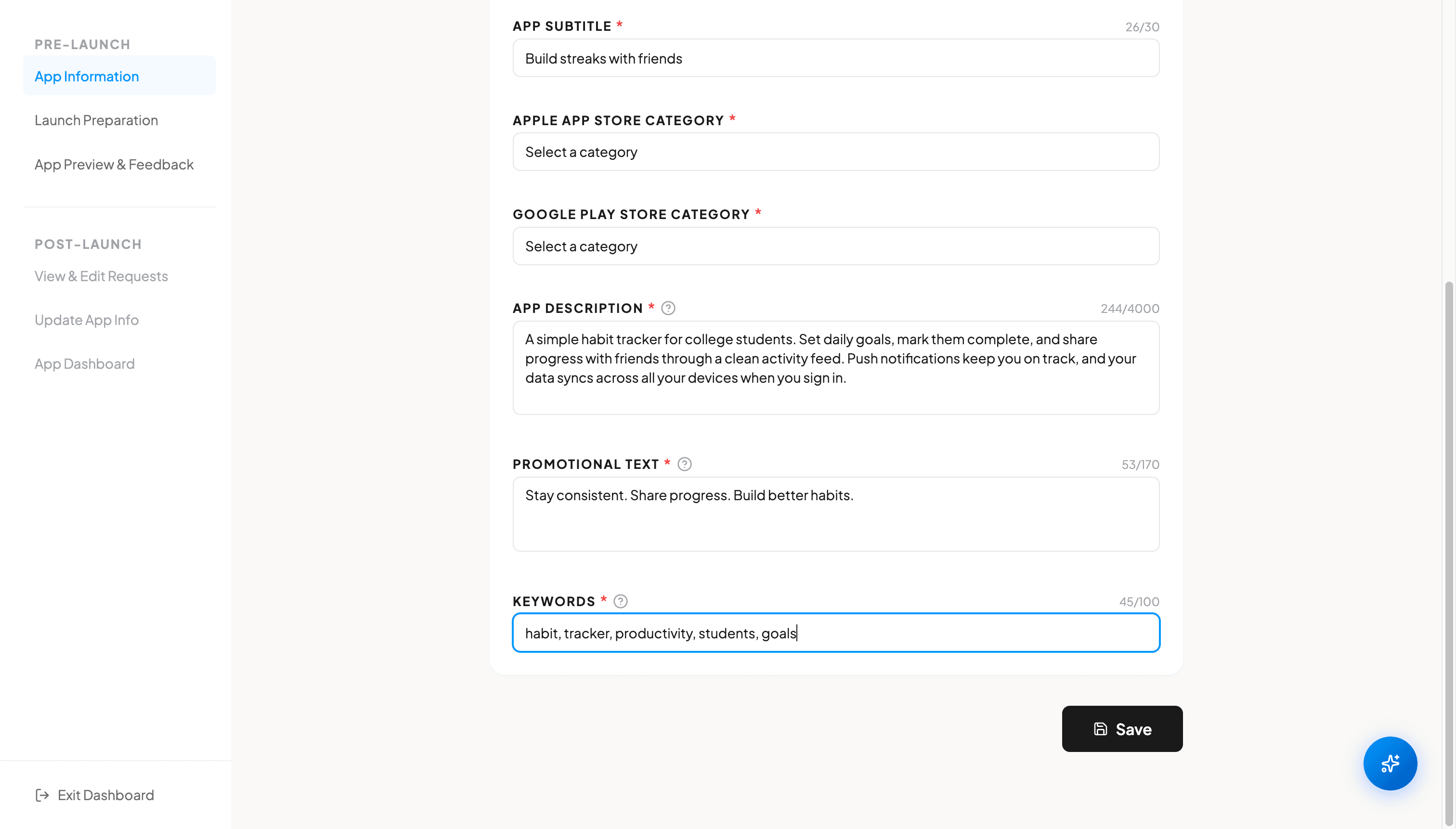
Fill in your app description (up to 4,000 characters), promotional text (up to 170 characters), and keywords (up to 100 characters). The description should clearly explain what your app does and why users should download it. Promotional text appears at the top of your App Store listing and can be updated without a new app submission. Keywords help your app appear in relevant search results.
Saving Your Information
After filling in all the fields, click the Save button to store your app information. You can return to this tab at any time to update your details. All fields must be completed before you can proceed to the Launch Preparation step.
FAQ
What size should my app icon be?
Your app icon must be 1024x1024 pixels in PNG format. This is the standard requirement for both the Apple App Store and Google Play Store.
Can I change my app name after submission?
Yes, you can update your app name, but changes will only take effect after the next app update is approved by the store. Keep in mind that frequent name changes can confuse users.
What makes a good app description?
A good app description clearly explains the problem your app solves, highlights key features, and includes relevant keywords naturally. Start with the most important information, as only the first few lines are visible without tapping "Read More."